
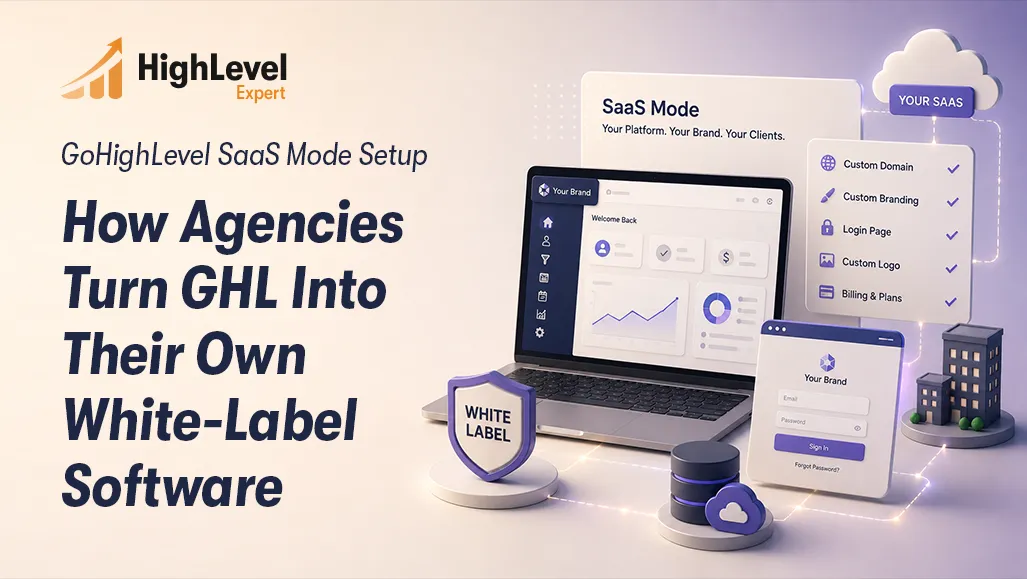
GoHighLevel SaaS Mode Setup Guide for Agencies
TL; DR
GoHighLevelSaaS Mode lets agencies sell their own branded software on recurring subscriptions
It'smore than whitelabeling itautomates billing, onboarding, and account creation through Stripe
Setup requires six steps: Pro plan, Stripe, pricing plans, custom domain, Snapshot, and full testing
Common mistakes include broken Stripe mapping, missing SSL, untested Snapshots, and no dunning flow.
A certifiedGoHighLevelexpert reduces launch time from weeks to days and prevents costly errors
GoHighLevel SaaS Mode Setup: How Agencies Turn GHL Into Their Own White-Label Software
Most agencies are stuck trading time for money. You deliver results, the client pays, and the cycle repeats until it doesn't. One churned retainer and your revenue takes a hit you didn't plan for.
GoHighLevel SaaS Mode breaks that cycle. Instead of selling your time, you sell software. Your branded platform, your pricing, your recurring revenue. This guide walks you through the complete GoHighLevel SaaS Mode setup. What separates it from standard white labeling, and why agencies that work with a certified GoHighLevel expert launch faster and build more predictable income.
What Is GoHighLevel SaaS Mode?
GoHighLevel is an all-in-one CRM and marketing automation platform built for agencies. SaaS Mode takes it further it lets you operate as a software company under your own brand, charging clients recurring subscriptions for access to your platform.
Your clients never see GoHighLevel. They see your logo, your domain, and your product.
What SaaS Mode gives you:
Your own branded platform with a custom domain
Full control over pricing tiers and feature access
Automated client onboarding from checkout to account creation
Direct Stripe billing revenue goes straight to you
It's not a reseller arrangement. It's a software business running on infrastructure GoHighLevel maintains. You set the rules, you set the price, and the system does the operational work.

SaaS Mode vs. Standard White Label: The Key Differences
Many agency owners treat these as the same thing. They're not, and the difference directly impacts how much your agency can scale.
Standard white labeling on GoHighLevel's Agency Unlimited plan lets you brand the platform. But you're still manually creating sub-accounts, manually invoicing clients, and manually onboarding every new customer. It's branded, but it's still a service operation.
SaaS Mode automates the entire pipeline. A prospect visits your pricing page, picks a plan, pays through Stripe, and gets instant account access without you touching anything.
Standard white labels require team involvement for every new client. SaaS Mode doesn't. That's the leverage that makes this model worth building and worth building correctly.
GoHighLevel SaaS Mode Setup: Step-by-Step
Getting the GoHighLevel setup service right means following a specific sequence. Each step has dependencies, and a misconfiguration at any stage creates problems that surface later often after real clients are already inside the system.
Step 1: Upgrade to the SaaS Pro Plan
SaaS Mode is exclusive to GoHighLevel's Agency Pro plan. Confirm your account tier before touching any configuration. SaaS features simply won't appear on lower plans, and the platform won't always tell you why.
Step 2: Connect Your Stripe Account
Go to Agency Settings and connect a fully verified Stripe account under Billing. Fully verified matters incomplete Stripe setups cause silent checkout failures where clients think they've subscribed, but no charge processes and no account gets created. This is one of the most common post-launch surprises agencies face.
Step 3: Build Your SaaS Pricing Plans
Inside the SaaS Configurator, create the plans your clients will subscribe to. Set the name, price, billing interval, and which platform features each tier unlocks. Most agencies build three tiers starter, growth, and premium. Each plan must map to the correct Stripe product ID. This mapping step gets missed more often than it should, and when it does, billing and access both breaks.
Step 4: Set Up Your White Label Domain
Configure a custom subdomain such as app.youragency.com through your DNS provider and connect it inside GoHighLevel agency settings. SSL must be correctly provisioned. A misconfigured domain or missing SSL certificate triggers browser security warnings that kill conversion before a single prospect enters their card.
Step 5: Configure the Snapshot for Auto-Onboarding
A Snapshot is GoHighLevel's pre-built account template. When a new subscriber signs up, the Snapshot deploys automatically to their sub-account loading your funnels, pipelines, workflows, calendars, and automations. This is the core of your client's first experience with your platform. A broken Snapshot means every new client starts with missing assets or dead automations. Getting this right is where a professional GoHighLevel onboarding service delivers the most value building a Snapshot that deploys cleanly across different client types and industries.
Step 6: Test the Full Client Journey
Before going live, run a complete end-to-end test as a new prospect. Visit your pricing page, complete checkout with a test card, and verify the sub-account is created, the Snapshot deploys correctly, credentials are delivered, and Stripe billing reflects accurately. Test on both desktop and mobile. This step gets skipped constantly and it's the step that would have caught most post-launch problems before real clients experienced them.
Common Mistakes Agencies Make During GHL SaaS Setup
Even capable agencies run into the same configuration problems. Knowing them in advance is worth far more than fixing them after clients are already affected.
Stripe plan IDs not mapped correctly: Clients complete checkout, but no account gets created. It's silent, it erodes trust, and it's entirely avoidable.
No SSL on the custom domain: Browser security warnings on your pricing page kill conversion immediately. No prospect enters a card on a domain that shows "Not Secure."
Untested Snapshot deployment: Agencies build a Snapshot once and assume it works. The broken triggers and missing workflow steps only appear when real clients report them.
No failed payment handling: Without a Stripe dunning sequence and a matching access revocation workflow in GoHighLevel, failed payments become a manual problem that grows as your client base does.
Pricing tiers without value rationale: Plans priced arbitrarily see high churn. Each tier needs to reflect what clients receive and what that outcome is genuinely worth to them.
A certified GoHighLevel expert identifies and resolves these before they cost you clients or revenue.
Why Agencies Hire a Certified GoHighLevel Consultant for SaaS Setup
Documentation explains what settings do. It doesn't explain configuration sequence, conflict points, or how to build a Snapshot that serves ten different client industries without breaking.
That's what a specialist brings.
Correct configuration from the start: Every step has dependencies. A consultant who has completed multiple SaaS setups knows the order that prevents downstream problems and knows where GoHighLevel's interface is misleading.
Snapshot architecture built for scale: Building a Snapshot that deploys cleanly across different client types requires deep knowledge of GoHighLevel's automation engine. That's not knowledge you build from a YouTube playlist.
Revenue-focused setup decisions: The best GHL expert for hire understands agency business models not just platform mechanics. They'll help you structure plans that reduce churn, build upgrade triggers, and design onboarding flows that improve client activation.
Agencies that self-configure typically spend 40 to 60 hours troubleshooting before their first paying client goes live. Agencies that bring in a qualified GoHighLevel SaaS setup service often launch within days.
What to Look for When Hiring a GoHighLevel SaaS Specialist
The market for GoHighLevel help has grown fast. Not everyone offering services has actually built a SaaS operation inside the platform.
When evaluating who to work with:
Verified GoHighLevel certification - not self-reported, verifiable
Proven SaaS Mode project experience - ask specifically about agencies they've launched through SaaS setup, not general GHL work
Stripe and GHL integration knowledge - a specific technical skill, not generic CRM consulting
Clear scope and defined deliverables - vague consultants produce vague outcomes
Post-launch support availability - real client activity after go-live reveals edge cases a good specialist helps you resolve
Frequently Asked Questions
1. What GoHighLevel plan do I need for SaaS Mode?
SaaS Mode requires the Agency Pro plan. It's not available on Starter or Agency Unlimited plans. The SaaS Configurator simply won't appear on lower tiers, so confirm your account before touching any configuration.
2. Can I use any payment processor with GoHighLevel SaaS Mode?
GoHighLevel SaaS Mode is built exclusively around Stripe. It's the only supported processor for automated subscription billing and sub-account creation. Your Stripe account must be fully verified before connecting it to your agency settings - partial verification causes silent billing failures.
3. How long does a proper GoHighLevel SaaS Mode setup take?
A clean, tested setup takes three to seven days when handled by someone experienced with the platform. Agencies configuring it themselves for the first time often spend two to four weeks troubleshooting. A professional GoHighLevel setup service compresses that timeline significantly and avoids the trial-and-error entirely.
4. What is a GoHighLevel Snapshot and why does it matter?
A Snapshot is a pre-built account template that deploys automatically when a new client subscribes. Loading your funnels, workflows, pipelines, and automations into their account instantly. The quality of your Snapshot determines the quality of your client's first experience. A broken Snapshot creates support issues that compound as you grow.
5. Do I need a certified GoHighLevel expert or can I do it myself?
You can configure SaaS Mode independently, many agencies do. But mistakes cost time, client trust, and delayed revenue. A certified GoHighLevel consultant removes that risk and typically pays for itself before your first client churns.
The Conclusion
GoHighLevel SaaS Mode gives agencies a genuine path to software revenue without building software from scratch. The infrastructure is there your job is to configure it correctly, price it strategically, and deliver an experience worth subscribing to every month.
The setup has real complexity, and the cost of getting it wrong shows up in lost revenue and client trust. Working with a professional certified GoHighLevel expert is the most direct route from concept to a live, revenue-generating SaaS product.

Recent Posts

GoHighLevel SaaS Mode Setup Guide for Agencies
August 5, 2026